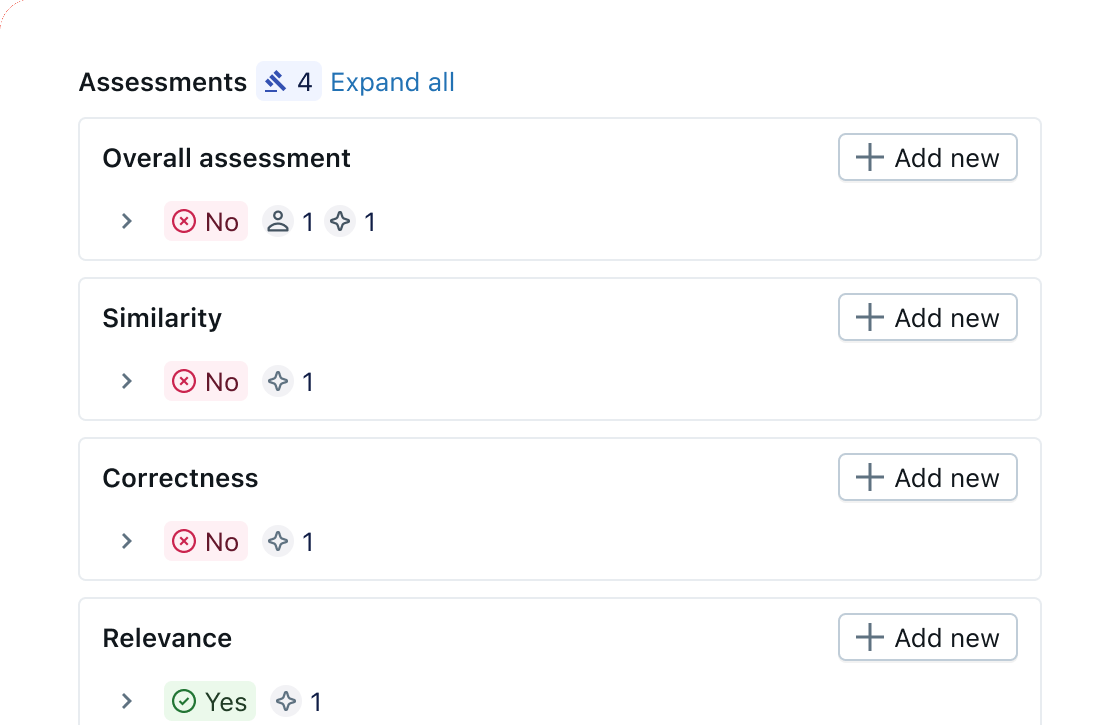
Pre-built LLM judges
Quickly start with built-in LLM judges for safety, hallucination, retrieval quality, and relevance. Our research-backed judges provide accurate, reliable quality evaluation aligned with human expertise.
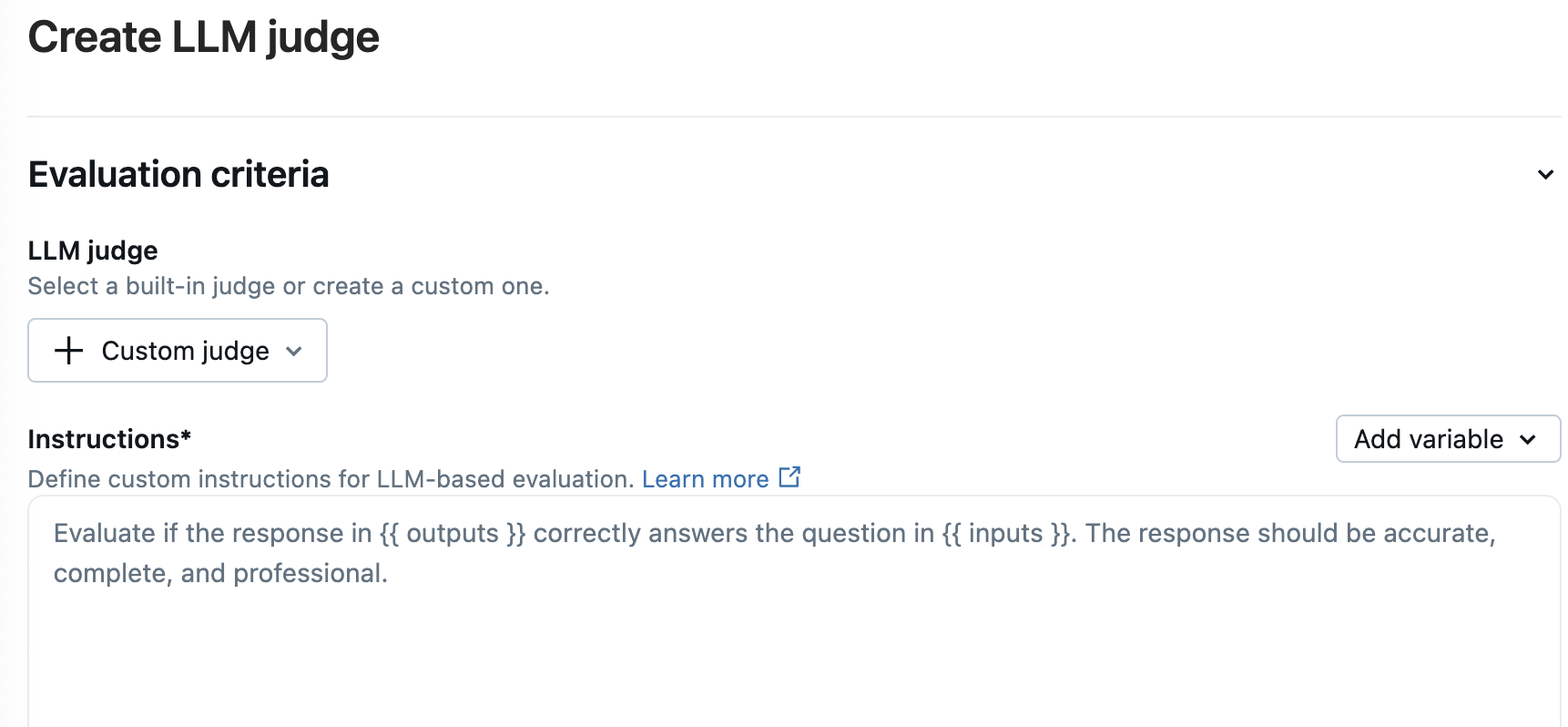
Customized LLM judges
Adapt our base model to create custom LLM judges tailored to your business needs, aligning with your human expert's judgment.
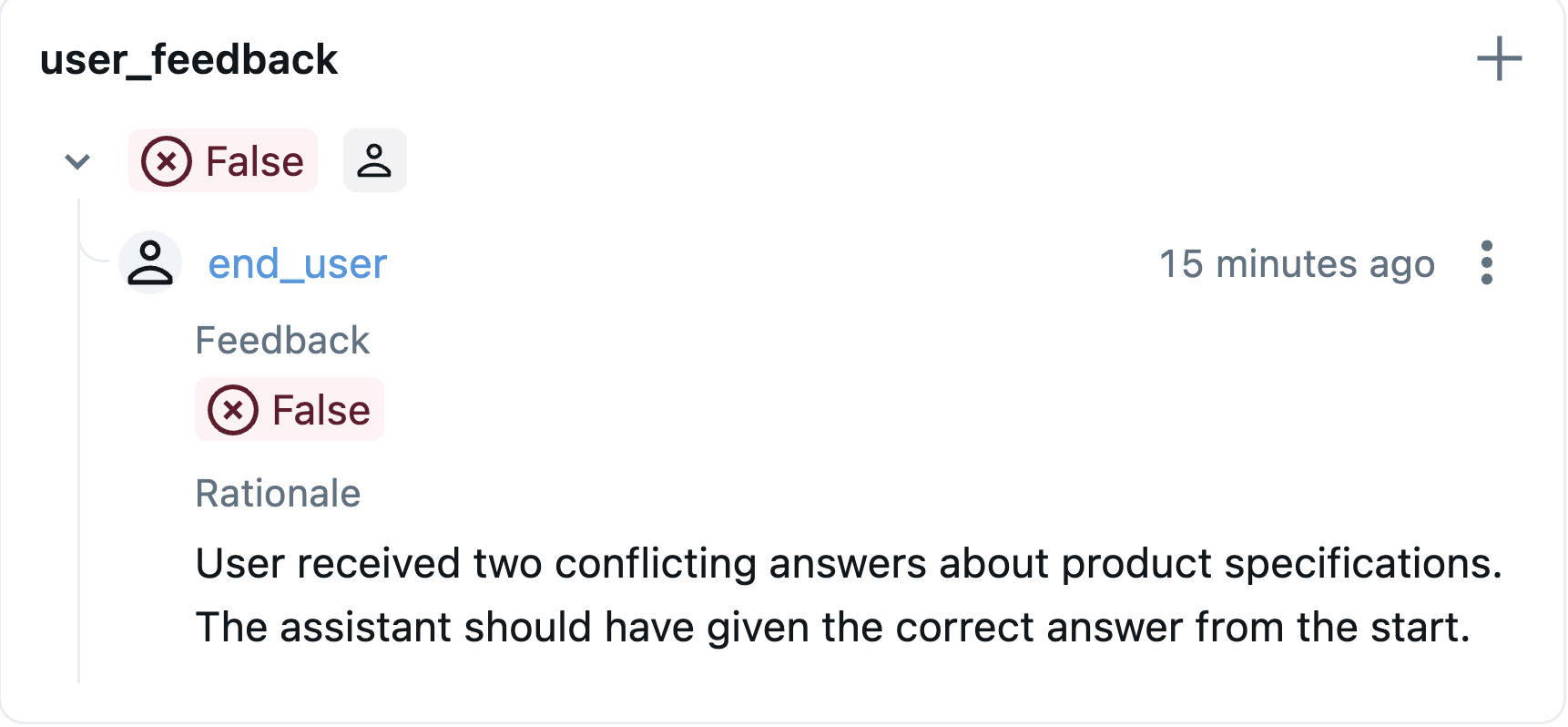
Collect human feedback
Gather feedback from end users and domain experts directly within your application. Use human annotations to validate LLM judge accuracy, identify blind spots, and continuously improve evaluation quality.
Test new agent versions
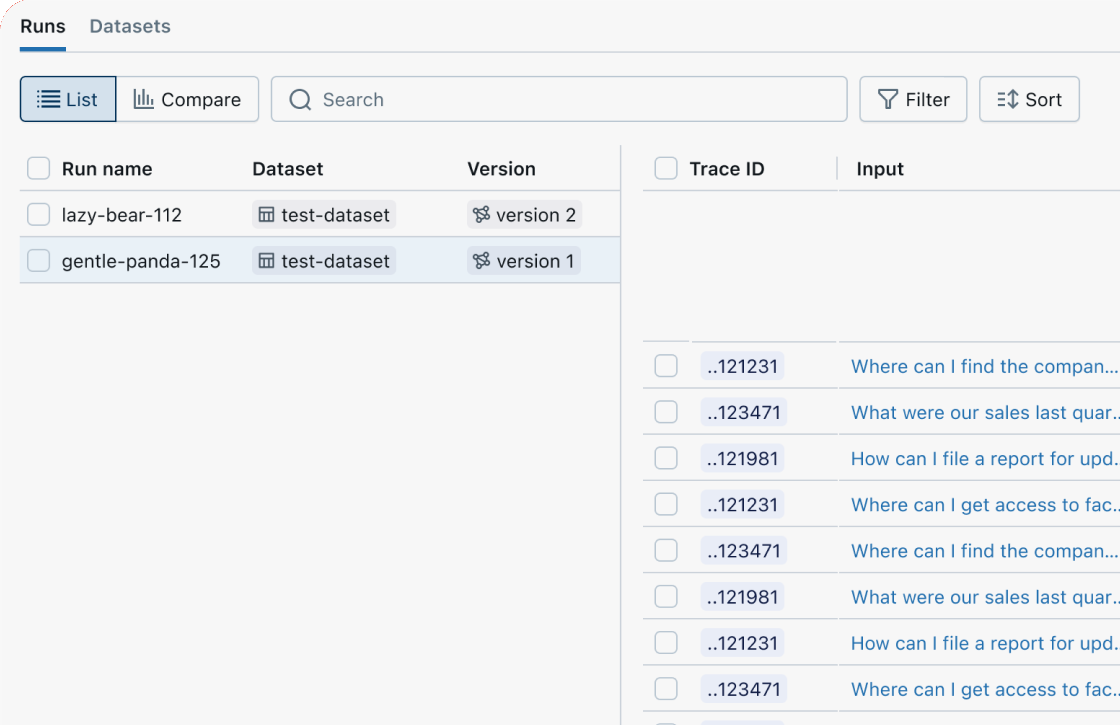
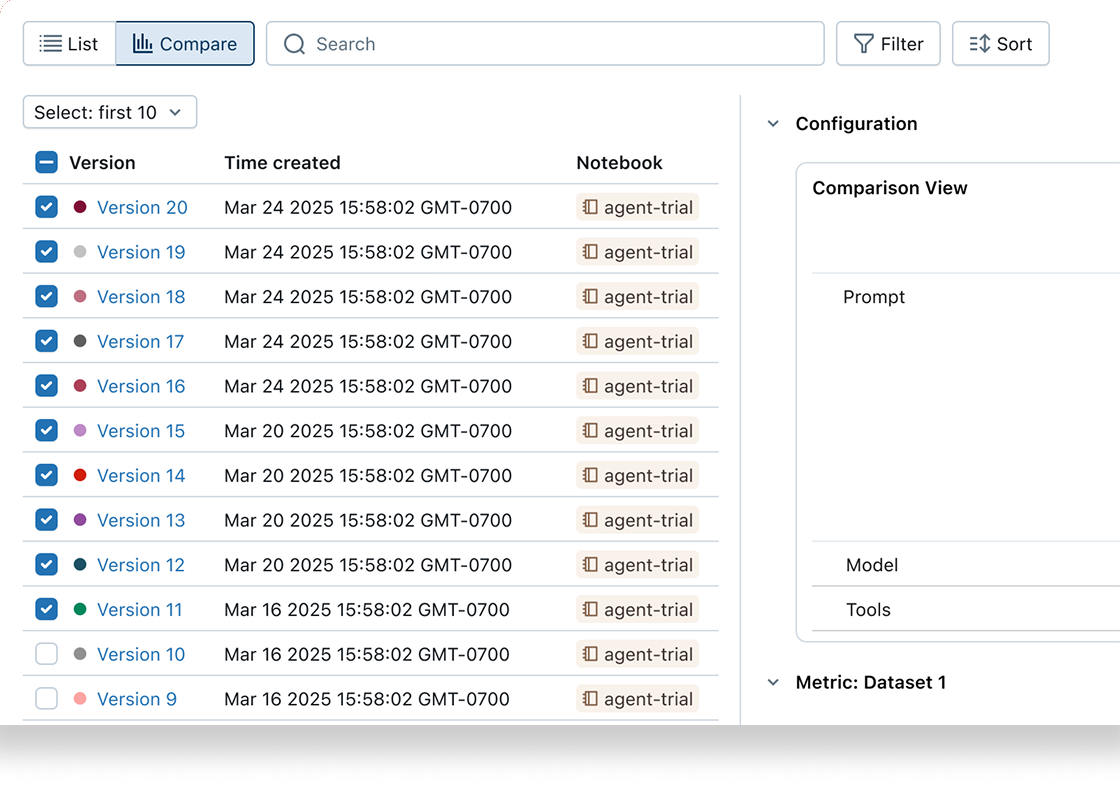
MLflow's GenAI evaluation API lets you test new agent versions (prompts, models, code) against evaluation and regression datasets. Each version is linked to its evaluation results, enabling tracking of improvements over time.
Customize with code-based metrics
Customize evaluation to measure any aspect of your app's quality or performance using our custom metrics API. Convert any Python function—from regex to custom logic—into a metric.
from mlflow.genai.scorers import scorer@scorerdef response_length(request, response):"""Check response is within length limits."""length = len(response.text.split())return length <= 500results = mlflow.genai.evaluate(data=eval_data,scorers=[response_length],)
Identify root causes with evaluation review UIs
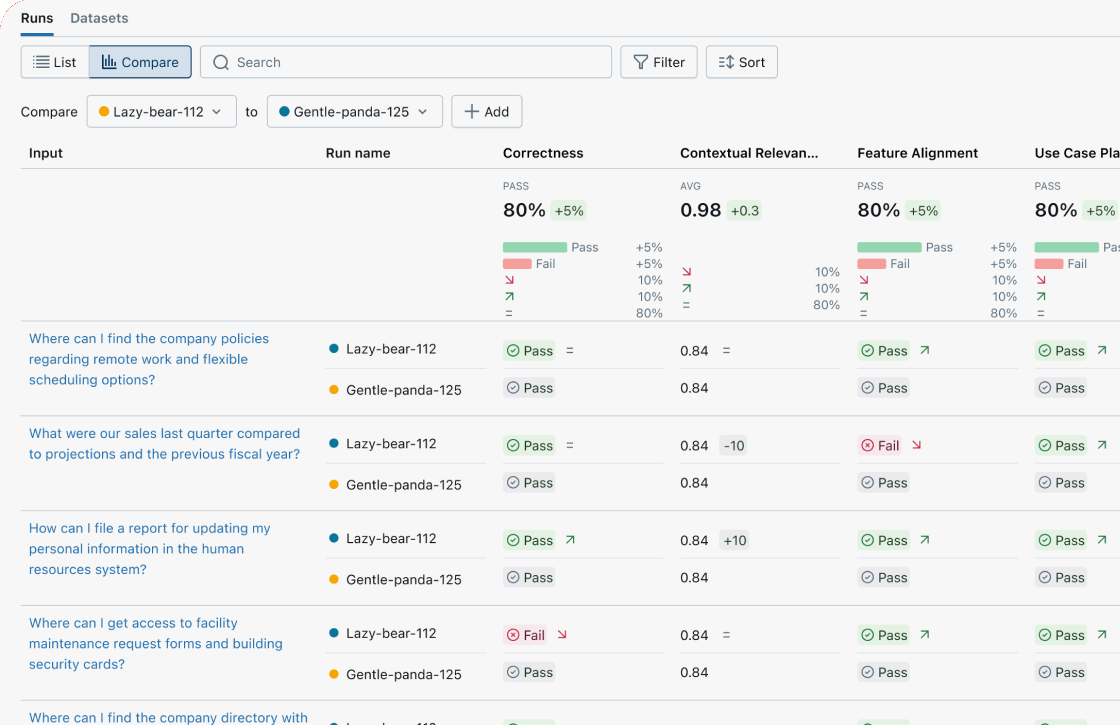
Use MLflow's Evaluation UI to visualize a summary of your evals and view results record-by-record to quickly identify root causes and further improvement opportunities.
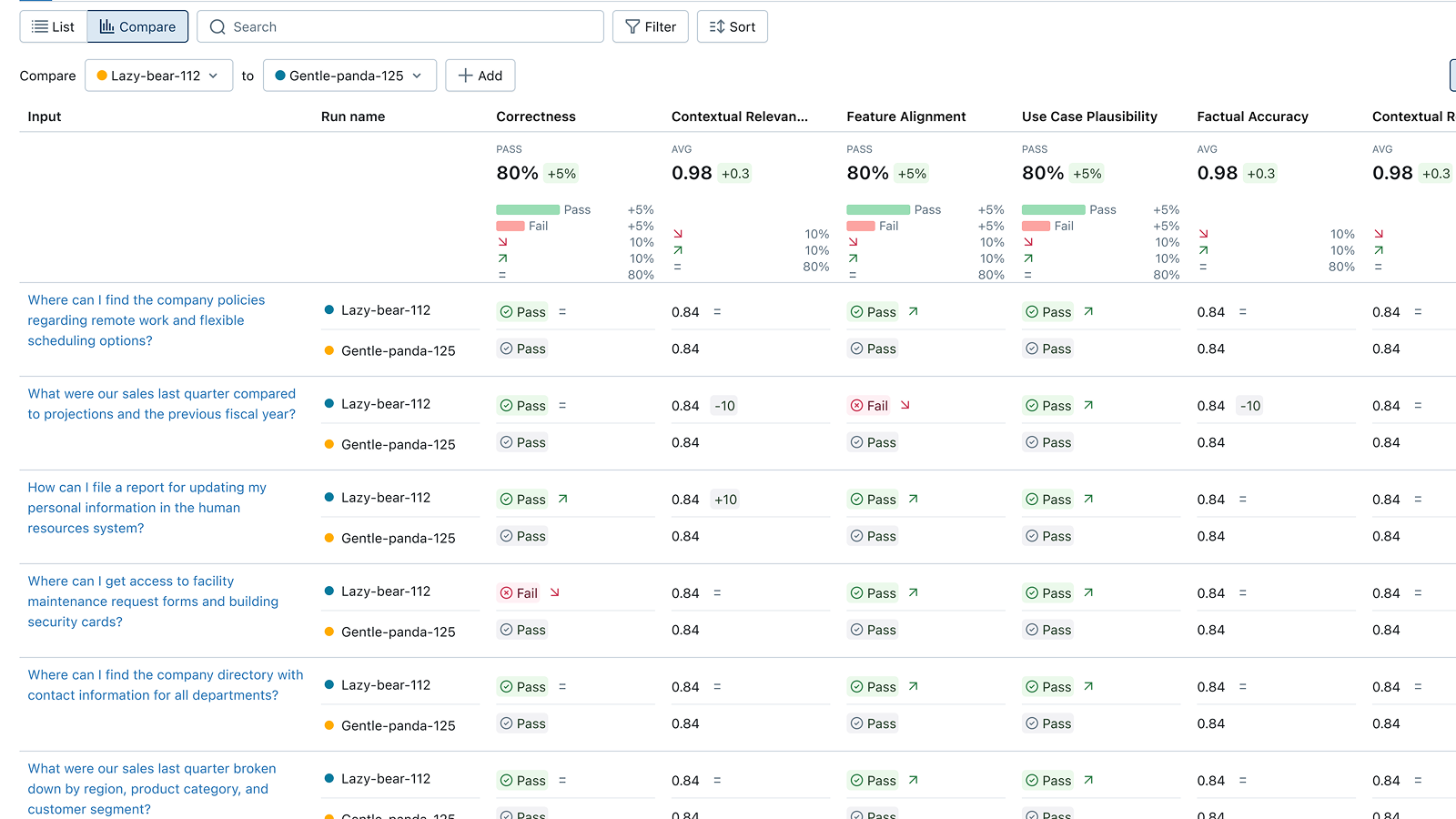
Compare versions side-by-side
Compare evaluations across agent versions to understand if your changes improved or regressed quality. Review individual questions side-by-side in the Trace Comparison UI to find differences, debug regressions, and inform your next version.
Start MLflow Server
One command to get started. Docker setup is also available.
Enable Tracing
Add minimal code to start capturing traces from your agent or LLM app.
Run your code
Run your code as usual. Explore traces and metrics in the MLflow UI.
Evaluate with LLM Judges
Run built-in LLM judges to automatically score your app's quality.